Product update
Choose your AI model and chat mode
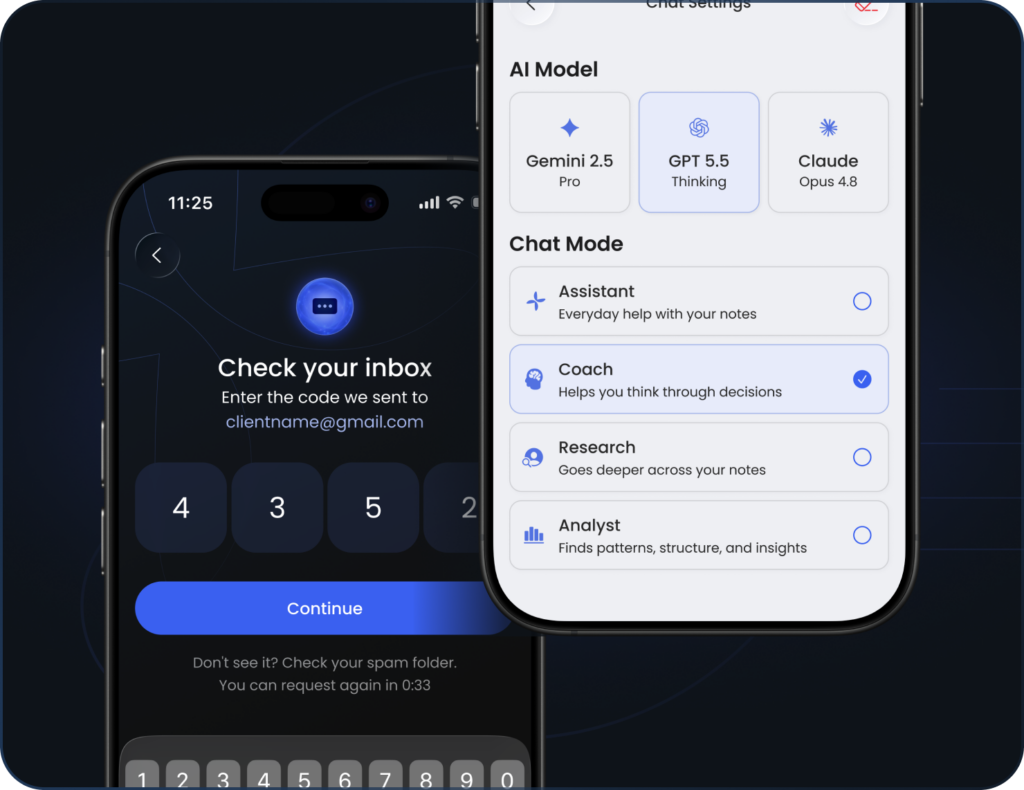
Not every question needs the same kind of thinking. This release hands you the controls in Global Chat — which AI model runs behind it, and what role it plays — and makes getting into your account quicker on the way.
What’s new?
Pick your AI model
Global Chat now lets you choose the model powering your answers — Gemini 2.5 Pro, GPT 5.5 Thinking or Claude Opus 4.8 — from Chat Settings. Reach for a faster model when you want a quick reply, or a deeper one when a question needs more reasoning.
Set the chat mode
Choose the role your assistant takes — Assistant, Coach, Research or Analyst — right by the title in Global Chat. Each mode shifts how answers come back, from direct help to a more analytical read of your notes, so the same question can get a very different kind of answer.
Set the chat mode
Faster sign-in with a 4-digit code
Signing in now uses a short 4-digit code sent to your email — nothing to remember, nothing to reset. Enter the code and you’re straight back to your notes.
Also new
See what changed in each release without leaving the app — there’s now a What’s New section in your Profile.
Fixes and improvements
✦ Recording now starts reliably when a meeting opens from a calendar notification — no more timer stuck at 00:00.
✦ Fixed a background upload loop that could drain battery and block new recordings from being created.
✦ The Upgrade prompt now disappears correctly after you activate a Lifetime plan.
✦ Fixed Apple Watch recordings getting stuck at 0%, which could block new recordings until the watch was restarted.